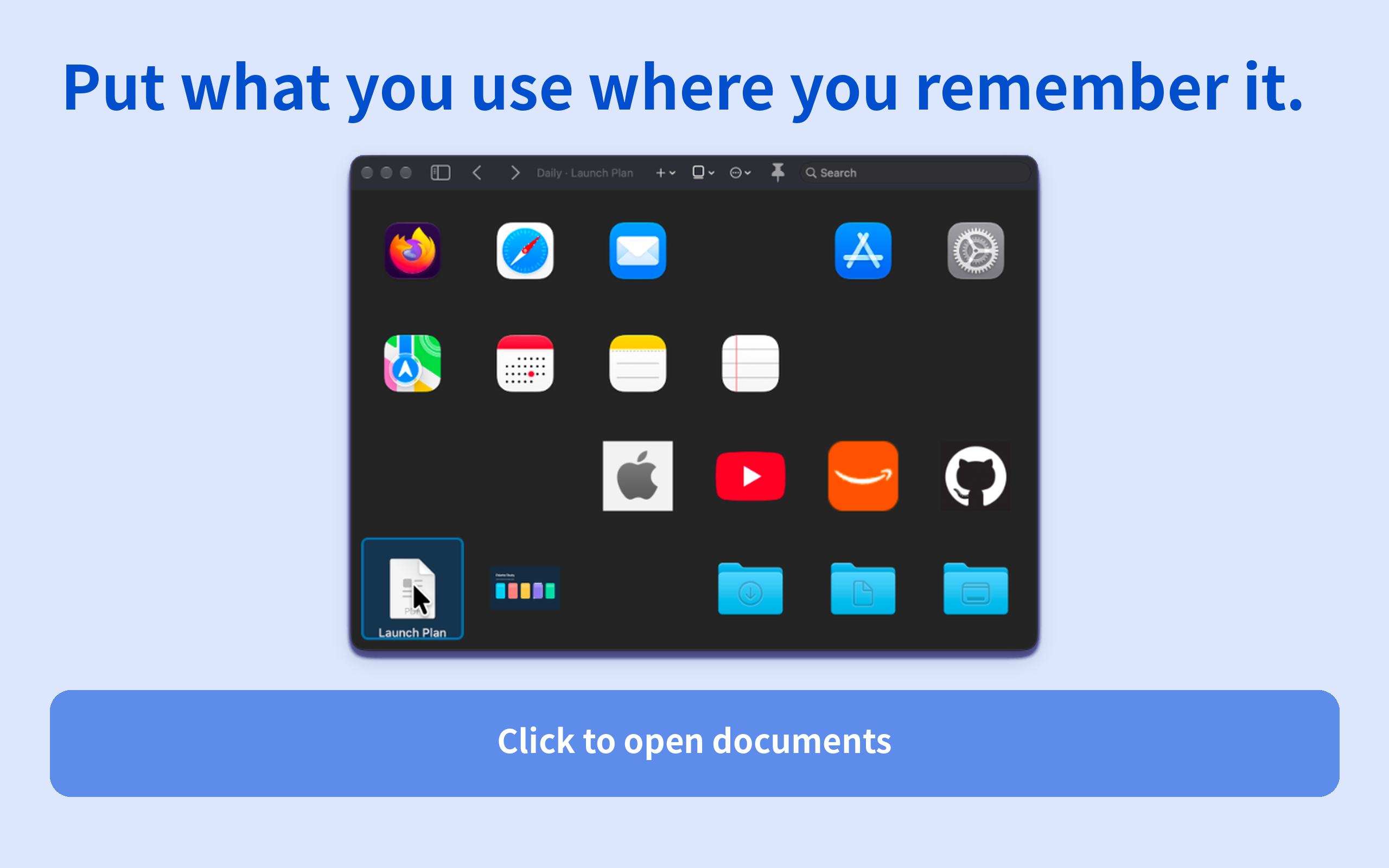
mosium is a visual launcher for macOS that lets you place apps, files, folders, websites, and Apple Shortcuts anywhere on collection-based spatial grids.
Instead of remembering a search term, find what you need by where you placed it.
Remember the place, not just the name.
Empty space is part of a mosium grid. Items are not automatically packed into the top-left corner: you choose where they belong, and mosium preserves that placement.
Find frequently used items by remembering positions such as “top right,” “bottom left,” or “next to that empty space.”
Apps, documents, folders, websites, and more.
Add apps, files, folders, websites, and Apple Shortcuts to the same grid.
Click to open
Select with the arrow keys and press Enter to open
Drag files and folders in from Finder and supported URLs from a browser
Website items can show a site icon when one can be retrieved
Image and video items can show thumbnails
Show as much labeling as you need.
Choose from three item-name modes:
Always Visible
Active Only
Always Hidden
Use an icon-focused layout or keep names visible when that works better for you.
Organize by collection — and by position.
Full lets you create multiple Collections with different spatial layouts for work, creation, reference, or other contexts.
Each Collection keeps its own item positions and grid size, so switching Collections also switches the places you remember.
Bring it up where you need it.
Invocation Profiles can define a target Collection, placement, window mode, and global shortcut.
Placement options include:
Monitor Center
Align the window center to the cursor
Align the top-left Grid position to the cursor
A saved Placement Preset
Assign a shortcut to each custom profile.
Built for everyday Mac workflows.
For local items, mosium connects to standard macOS actions:
Press Space for Quick Look
Reveal in Finder
Open folders in Finder
Relink files or folders when a saved reference is no longer available
The goal is to get you to what you need, not to replace Finder.
Export your layout and settings in one backup.
Use File > Export Backup… to export your Collections and settings.
Import Backup… validates the backup and asks before replacing the current state. Local files and folders may need to be relinked when restoring on another Mac.
Start free. Unlock Full when you need more.
Free includes the core mosium launcher experience.
Main Free limits
1 usable Collection
Grid up to 6 × 8
1 custom Invocation Profile in addition to the Standard Profile
1 Placement Preset
Full
The one-time Full unlock removes these edition limits, including limits on Collections, Grid size, custom Invocation Profiles, and Placement Presets.
Full is a Non-Consumable one-time purchase. Initial Release does not include a monthly or annual subscription.
The current price shown by the Mac App Store / in-app StoreKit presentation is authoritative.
macOS 15 or later. No mosium account required.
macOS 15 or later
Japanese and English
No mosium account
Collections and settings stored locally on your Mac